How to Use Personal QR Codes in Everyday Life
From job hunting to pet safety, discover how personal QR Codes are transforming the way we share information. Learn creative uses, key benefits, and how to create your own in minutes — even after printing!
What Is a Personal QR Code?
A personal QR Code is the individual use of QR code technology to share personal and professional information when scanned. It can function as a virtual business card or digital portfolio — flexible enough to fit on any material, whether paper, metal, or wood.
Once generated, your QR Code can be downloaded in five formats: JPG, PNG, SVG, EPS, or PDF. This makes it easy to use in both digital and print media. You can even engrave a QR Code on a dog tag or metal plaque to share more data than traditional text allows.
With the rise of 5G and mobile technology, QR Codes are bridging traditional items like stationery, invitations, and ID tags with the digital world — turning everyday objects into smart, interactive tools.






Creative Ways to Use Personal QR Codes
1. Make Your Resume Stand Out with a PDF QR Code
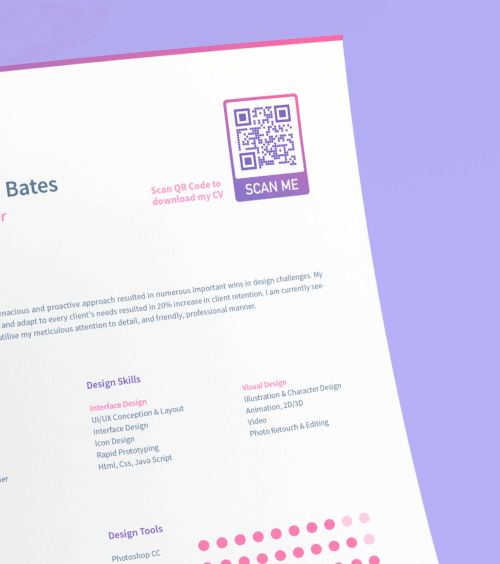
Recruiters receive hundreds of similar-looking resumes every day. Stand out by adding a PDF QR Code to your CV. With one scan, hiring managers can instantly view your full portfolio, certifications, or work samples — all without cluttering your resume.
Keep your application short and snappy while showcasing your full professional story.
Create a PDF QR Code Now2. Create a Memorable Event with an Event QR Code
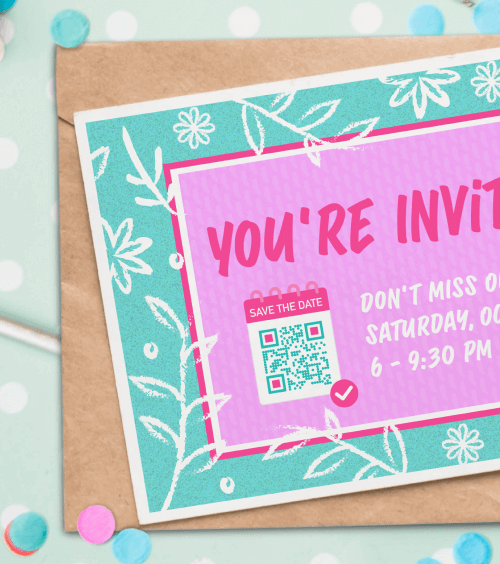
Planning a party or wedding? Use an Event QR Code on your invitations. Guests can scan it to view the date, time, location, and save it directly to their calendar. Add an RSVP option to manage catering and headcount easily.
Generate an Event QR Code3. Share Special Moments with an Image Gallery QR Code
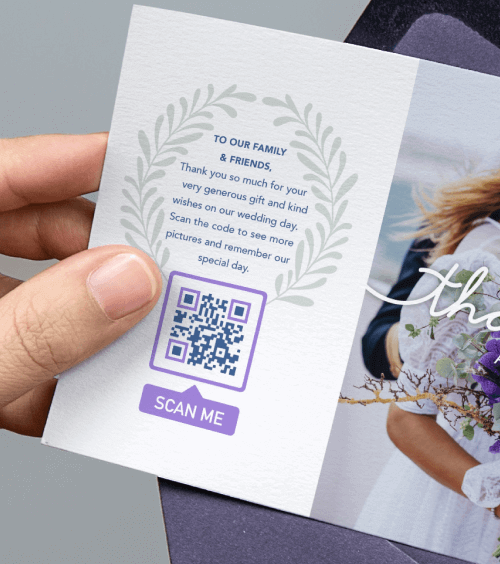
After a wedding or holiday, share your favorite photos with an Image Gallery QR Code. Print it on thank-you cards or place it on tables. Guests can scan to view and download high-quality images — no email attachments needed.
Build a Photo Gallery QR Code4. Travel with Peace of Mind Using a Text QR Code
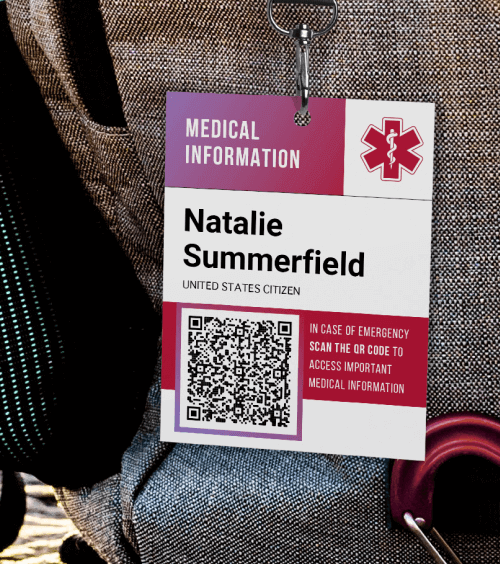
In an emergency, every second counts. Attach a Text QR Code to your backpack, wallet, or luggage that shares your medical details — allergies, chronic conditions, blood type, or emergency contacts. First responders can scan it quickly to get life-saving information.
Create a Medical QR Code5. Keep Your Pet Safe with a vCard Plus QR Code Dog Tag
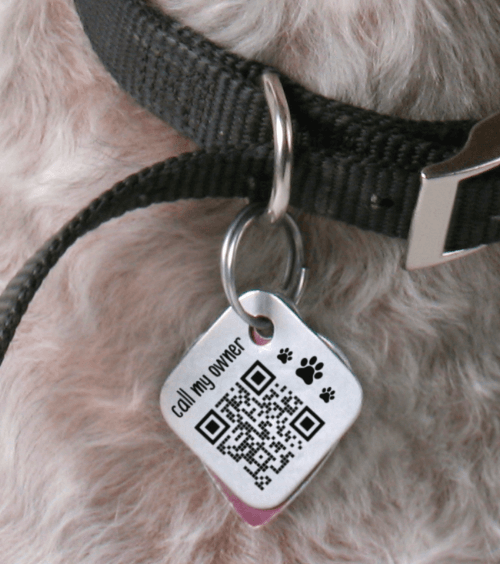
Lose-proof your pet with a vCard Plus QR Code on their collar. When scanned, it reveals your contact info, your pet’s name, vet details, and even favorite treats. Best of all, you can update the info anytime — no need to replace the tag!
Design a Pet ID QR CodeBenefits of Personal QR Codes
Small & Convenient
As small as 2×2 cm, QR Codes fit on anything — from business cards to keychains — yet can store large amounts of data, from PDFs to full photo albums.
Highly Customizable
Change colors, add logos, frames, and messages. Use hex codes for brand accuracy or fun designs to match your style.
Mobile-Friendly
With over 83% of people using smartphones, QR Codes offer instant access to your digital content — no typing required.
Edit After Printing (Dynamic)
Update the destination link anytime — even after printing — and track scans by location, time, and device.
Static vs. Dynamic QR Codes: What’s the Difference?
- Static QR Codes: Free to create, but cannot be edited after printing. No scan tracking available. Ideal for one-time uses like printed flyers.
- Dynamic QR Codes: Editable anytime, track scans, and use custom short URLs. Perfect for resumes, pet tags, or events where info may change.
For personal use, Dynamic QR Codes offer long-term flexibility and performance insights — perfect for staying organized and tech-savvy.
How to Create a Personal QR Code (Step-by-Step)
- Create: Go to QR Code Generator, sign up, and click “Create QR Code.” Choose your type (PDF, Event, Image Gallery, etc.).
- Customize: Add colors, frames, logos, and a message like “Scan Me” to make it stand out.
- Download & Print: Save in JPG, PNG, SVG, or PDF and use anywhere — on paper, metal, or fabric.
The whole process takes less than 2 minutes. Whether it’s for a job application, party invite, or pet safety — your digital life starts with one scan.
Start Creating Your QR CodeFrequently Asked Questions (FAQ)
How do I create a personal QR Code?
Visit QR Code Generator, sign up, and click “Create QR Code.” Choose your type, enter your content, customize the design, generate, and download. It’s that simple!
What can I share with a personal QR Code?
You can share almost any digital content: your resume (PDF), event details, photo gallery, medical info, social media profiles, Wi-Fi credentials, or a digital business card (vCard). The possibilities are endless.
Can I edit a QR Code after printing it?
Yes — but only if it’s a Dynamic QR Code. These use a redirect link (like l.ead.me/xyz), allowing you to change the destination anytime. Static codes are permanent and cannot be edited.
Do personal QR Codes collect scan data?
Only Dynamic QR Codes provide scan statistics — including number of scans, time, date, location, and device type. This helps you track engagement for events or job applications.
Are personal QR Codes safe?
Yes. Trusted platforms like QR Code Generator use secure links and do not store your personal data without consent. Always use reputable services and avoid sharing sensitive info like passwords.
Why Choose QR Code Generator PRO?
Join over 10 million users worldwide using QR Code Generator PRO for powerful, professional results.

Worry-Free & Mistake-Proof
Add content anytime — even after printing. Perfect for last-minute changes.

Perfect Resolution, Every Time
Download in JPG, PNG, SVG, or EPS — always high quality, no matter the size.

Stay Organized Effortlessly
Label QR Codes and create folders to keep everything in order.

Collaborate Securely Online
Add team members with controlled access and individual logins.

Make a Great First Impression
Use your own domain (e.g., go.yoursite.com) to build trust and brand loyalty.

Stay on Top of Everything
Add campaign info like start date, medium, and print quantity for better tracking.
Ready to Go Digital?
Join over 10 million users worldwide who are using QR Codes to simplify their lives. Whether you’re sharing memories, applying for jobs, or keeping your pet safe — there’s a QR Code for every personal need.
Create Your Free QR Code Today